
Your Computer Science Degree is not the End of your Education
Resources for Continued Learning Beyond Academia
Introduction
A career in Software Engineering requires continuous learning. This blog entry collects resources, communities and learning strategies for continuing your education after graduation. It’s a follow up to the previous Beyond Onboarding blog entry.
Don’t try to consume everything listed here. Pick one area that interests you and explore a few resources deeply before moving on.
While much of this advice targets early-career engineers, most of these resources remain valuable throughout your career.
This is not by any means a comprehensive set of educational resources. These are resources I have personally used, followed for years, or consistently found valuable. I will update resources on this page as I learn of new resources.
Table of Contents
- The Modern Learning Landscape
- What to Learn
- Learning by Doing
- Reading and Reference Material
- Structured Learning
- Video-Based Learning
- Community and Social Learning
The Modern Learning Landscape
Academia usually defines the courses for your major, determines the content and assigns the learning resources. You’re told what to learn and in what order.
After graduation, you’re on your own. This is both liberating and a bit daunting.
Where do engineers even begin learning something new? The sheer volume of information can feel overwhelming.

At the risk of being Captain Obvious, the first stop in finding information about a new topic is the internet.
The internet is filled with educational resources. Most are free or reasonably priced.
Your favorite search engine will return more references than you can possibly consume. Someone, somewhere has certainly created a page, blog, article, course, presentation slides or video on the topic you wish to learn.
Generative AI can create a learning plan for almost any topic tailored to your specific needs.
In addition to platforms, such as ChatGPT, also consider Interactive AI Notebooks such as those offered by Gemini NotebookLM (formerly Google NotebookLM). They allow you to configure a notebook with specific content, and the AI will remain focused upon that content. Gemini’s platform provides several preconfigured artifact generators, including an audio podcast, of the configured content. It’s one way to interact with the specified content to help gain a better understanding of it.
It’s easier to see than explain. I’ve created notebooks for several of my blog series. See: Interactive AI Notebooks.
What to Learn
Follow your curiosity, or learn something to fill a gap in your career. Ideally the same topic can do both.
Regardless, choose something that interests you. Most learning will be on your own time. Make sure it’s something that you find enjoyable.

Don’t fret if it doesn’t fill a specific niche in your career. You never know where your career might go. Something you learn today for fun, could be your golden ticket for a future opportunity.
Several years ago, this would have been my final word on what to learn, but Large Language Models and Generative AI are changing the landscape rapidly. Those who don’t learn how to leverage LLMs and GenAI will be at a severe disadvantage. Navigating LLMs, GenAI, and Agentic Coding will be the topic of my next post post: The End of Coding as Toil.
Learning by Doing

There are many ways to learn. I will provide several references in different media.
Reading, watching and listening may not be enough. Passive learning fades quickly. Real understanding comes from applying what you’ve learned:
- Build things
- Refactor code
- Experiment
- Teach others
- Present what you learn at work sessions, such as lunch-and-learn, or conferences
- Share what you learn through articles, blogs, videos, etc.
Reading and Reference Material
I started my career with Bell Labs in 1985. They had an extensive technical library. Members of Technical Staff were also allotted a book allowance if we wanted to purchase a book.
Our software builds could take a significant amount of time to complete. I often had a 15 or possibly even 30-minute break in my workflow while my code compiled. I couldn’t surf the internet, since it wasn’t available yet. I often worked my way through technical books several pages at a time while I waited for my code to build.
Books and Technical Libraries
Most technical books are online and readily available these days.
O’Reilly
O’Reilly gained a reputation for publishing technical books. Their corporate branding usually included a drawing of an animal on the front cover of their books.
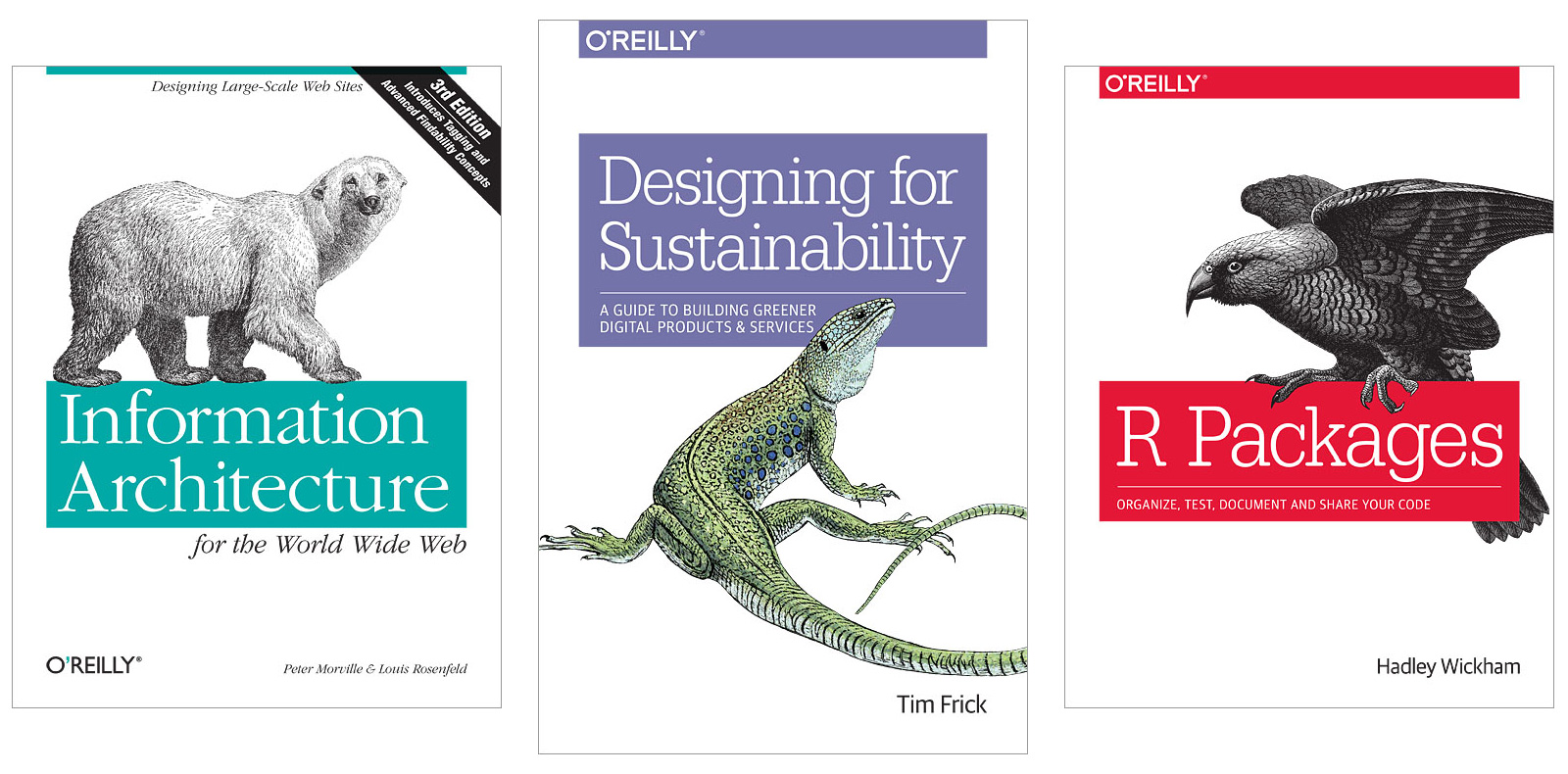
O’Reilly expanded beyond printed books with an online resource available at oreilly.com. It hosts thousands of books and videos including titles from publishers other than O’Reilly. It has several other features, such as live webinar sessions. It’s a great resource, but it’s a subscription service.
Here are a few subscription options:
- If you’re lucky, your employer will provide a subscription. My last employer provided a subscription to all developers for several years, but they have since canceled it.
- Subscribe yourself from their various Plans; however, it’s a bit pricey. You can try a Free 10-Day Trial to see if you like it.
- There’s at least one more option coming up shortly within the ACM Digital Library section.
Skillsoft Percipio
Skillsoft Percipio is another subscription platform. In addition to thousands of books and videos, they also include codeacademy through an acquisition.
The subscription rate is less than O’Reilly.
ACM Skills Bundle Add-On
Consider joining the Association for Computing Machinery (ACM) and sign up for their Skills Bundle Add-On, which includes a partial O’Reilly subscription plan along with a Skillsoft Percipio subscription. Annual ACM membership and the Skills Bundle total price is still a fraction of the annual subscription price for O’Reilly and Skillsoft Percipio on their own. See: About ACM E-Learning Offerings.
The ACM Skills Bundle has been fluid over the year. ACM and O’Reilly have had an on-again/off-again relationship over the past ten years. The Bundle used to include Pluralsight, but as of this blog publication, it is not part of their Bundle. See: ACM membership benefits
ACM Digital Library
The ACM opened their ACM Digital Library to the public in January 2026. This resource is more academic than O’Reilly or Skillsoft Percipio, but there is no subscription fee. Here’s a query that returns my letters to the editor for their monthly journal.
Blogs and Articles
Technical books tend to be hundreds of pages long, and you may not have the time or desire to read an entire book. This is where blogs and articles can be useful.
Many software professionals share their experience and knowledge via blogs and articles. Search for almost any software topic on the internet, and it will surely yield many references.
Here are a few:
- Design Pattern Evangelist - Always plugging my own blog. See: Table of Contents.
- Martin Fowler - Software Engineering influencer. Original Agile Manifesto coauthor. Coined and popularized Refactoring.
- O’Reilly Radar
- ACM Queue Blog and ACM Queue Articles - These tend to focus more upon practical aspects of the software industry and not so much the academic side of Computer Science.
- InfoQ
- DZone
- Reading for graduate students - A list of books for graduate students
Structured Learning
Many of us did well in academia, because we liked the structure it provided. That structure is still available after you graduate. Better yet, you can take almost any course you want, possibly for free, and not worry about the grade.
MOOCs
Massive Open Online Courses (MOOCs) were all the rage about fifteen years ago. They started when Stanford opened an AI course online for free, but without credit. Over 100,000 people signed up. Academia saw online access as a means to educate those who could not easily receive a first-class education, such as: those who couldn’t afford it, those who couldn’t dedicate a lot of time toward it or those were not did not live near a university. Students only needed a device, such as a smartphone or PC and an internet connection.
Courses were mostly an online version of the in-class university courses. Students watched videos and completed online quizzes and tests. Since a session could have tens of thousands of students, it was impossible for the instructor to help students individually. Many MOOCs have discussion forums, like Slack or Teams, where students can post questions or other comments. Community TA volunteers and sometimes the instructor would address these posts, but most often, other students would get involved. Students learned from each other.
I was a voracious consumer of courses on Coursera back then. I estimate that I completed more Computer Science courses via Coursera than I did for my Computer Science BS and MS degrees in the early 1980s.
Coursera is where I first learned several data structures that had not been presented in my college courses, such as Union-Find, A* Search, K-d Trees, and Red-Black Trees. I learned additional algorithmic techniques, such as: Greedy Algorithms and Dynamic Programming. I learned technology that arose after in the decades after I had graduated, such as: Python, Computer Networks, Android and Cloud Computing. I completed a few courses outside of the traditional software arena, such as: Game Theory, Roman Architecture and the Music of the Beatles.
But the MOOCs weren’t fulfilling their original promise in educating those out of reach of traditional academia. While thousands signed up for these courses, most never completed them. Completion rates were 5% to 15%. Since the courses were free and without college credit, there was no incentive to complete a course unless a student really wanted to.
I don’t know about other platforms, but Coursera did some analysis on those who completed courses. They found that almost all students completing courses already had an academic degree. They had misidentified their actual users. Their actual users were those with an academic degree who were either learning for the love of learning and/or trying to extend their education.
Coursera adjusted. These students probably had family and business obligations. Devoting several months to a course might not be as feasible. Rather than follow an academic model, where a course could be ten to fifteen weeks long and offered once or twice per year, they split courses into month long chunks, which could be completed sequentially or with gaps. A new session for each block started monthly.
Student professionals could complete a course sequentially, or complete it in phases, especially if taking a break for family or business obligations. It’s akin to a full-time student who completes a degree in four years versus a student who takes a few gap semesters to travel or work. The new Coursera model provided more flexibility.
MOOCs also struggled financially. Some platforms offer certifications for a price. Some platforms require a subscription or enrollment. However, some platforms may have a no cost audit feature, which allows you to watch the online content for free. You won’t get any recognition and may not even have access to tests or quizzes. The audit option may also be difficult to find, but if you hunt around you may find it.
Here are a few MOOC resources:
- Coursera
- Udacity
- edX
- codeacademy - which might be available via ACM’s e-learning bundle with Skillsoft Percipio.
Many universities offer online courses as well, some for free:
- Harvard University
- Stanford University
- MIT - And specifically The Missing Semester of Your CS Education
- The Pennsylvania State University - My Alma Mater
- The University of Wisconsin - Madison - My other Alma Mater
- University System of Georgia
- The Open University
Here are lists of more options:
- List of MOOC Providers
- Class Central - which seems to be a treasure trove of courses provided by Universities, MOOC Platforms and Companies
Corporate Courses
While similar to MOOCs, there are some non-academic course offerings. These require a subscription:
- Pluralsight - An online learning platform and technology workforce development company, offering thousands of expert-led video courses, hands-on labs, and skill assessments in AI, cloud, security, and software development.
- Linkedin Learning - An online educational platform (formerly Lynda.com) that offers over 16,000 expert-led video courses focused on business, technology, and creative skills.
Code Tutorials and Challenges
Learn and practice programming languages, data structures, algorithms and more via coding challenge websites. These are platforms that present problems for you to solve. Learn by doing.
Bob Martin has advocated learning a new programing language each year. I certainly didn’t achieve that standard in my career, but I did learn and use multiple programming languages including C, C++, KornShell (I knew Dave Korn and worked with him professionally a few times), AWK a sweet little language every developer should know, and Java.
Subsequent languages are easier to learn. BASIC was my first language and knowing its basic constructs gave me a head start in my Computer Science courses in the early 1980s when I was exposed to the same constructs in other programming languages such as PL/I and Fortran. Seeing the same constructs in different languages helped me understand the concept without depending upon its design and implementation in a specific programming language.
Learning programming languages, data structures and algorithms are not quite as important as they used to be with the recent advent of AI. Learning for the sake of learning can still be valuable.
As software developers move more toward AI generated code, then developers can still use these coding challenge websites, but instead of writing the code by hand, they can use them to practice and hone their AI prompting and specification skills to generate the code to solve these challenges.
Here are several options/ Some are free. Some require a fee or subscription:
- NeetCode - An online platform and YouTube channel designed to help software engineers prepare for technical coding interviews. It provides curated lists of essential algorithmic problems and offers detailed video explanations.
- LeetCode - An online platform for software engineers to practice coding, improve their grasp of data structures and algorithms, and prepare for technical job interviews.
- codeacademy - A highly interactive online learning platform that teaches programming, data science, cybersecurity, and AI, which might be available via ACM’s e-learning bundle with Skillsoft Percipio.
- LearnCPP - A free website devoted to teaching you how to program in modern C++.
- GetCracked - A platform built specifically for quant interviews, powered by real questions, competitive quizzes, relevant coding problems, and guided learning modules built and contributed to by candidates who sat those same rounds.
- AdventOfCode - An Advent calendar of small programming puzzles for a variety of skill levels that can be solved in any programming language you like. People use them as interview prep, company training, university coursework, practice problems, a speed contest, or to challenge each other.
Video-Based Learning
I am a visual learner. MOOCs worked for me, because much of it involved watching videos.
Much like books are long-form and blogs and articles are short-form, MOOCs tend to be long-form educational experiences, while standalone online videos are often short-form.
Videos
Some software professionals share their experience and knowledge via online videos.
Videos span many types from how-to videos to educational videos. Many conferences have a video channel posting their content as well.
Here are a few suggestions:
- Software Engineering Practice:
- Modern Software Engineering Channel - Dave Farley started this channel early during COVID lockdown. It quickly became popular. Each week a new 15-20-minute video is posted about a Software Engineering topic. The videos introduce topics without getting too deep in the weeds. Dave has invited additional noted presenters. Videos about similar topics have been organized into Playlists.
- Clean Coders - Bob Martin produces and sells these sets of videos. Bob’s videos cover a wide range of Software Engineering topics. His videos revolutionized how I thought about software. Each video is available for purchase for a reasonable price, but there are many videos so consuming the entire set could become expensive. Much of Bob’s content, videos and books, are also available on O’Reilly which is where I viewed them. I thoroughly enjoyed Bob’s videos, but I feel like I need to provide a few caveats:
- Bob is a slow talker. I view then at 2x playback speed, and he’s completely legible to me.
- Bob likes to inject humor into his videos mostly by dressing up as different recurring characters. This could be off-putting to some, but I felt the humor added some levity and kept me engaged.
- Bob almost always starts each video with a cold open science lesson, often about astronomy that can be five to ten minutes long. In the first few videos I watched, I thought he’d tie the introduction into the rest of the video, but he does not. You can usually jump to the main content and not lose any context.
- There are many free videos of Bob online at presentations at conferences or at corporate events. He covers many of the same topics. He’s still a slow talker, and he often starts with a science lesson. However, I’ve never seen him dressed up as any of his characters in these settings.
- Emily Bache - Bache is the big proponent of Code Katas. Her videos feature them along with videos to help software leads train their own teams.
- Coding Blocks - The Coding Blocks YouTube channel is all about bringing you tutorials, tips, how to’s and best practices on working your way to being the best programmer or software developer you can be.
- Code Aesthetic - There are only a few videos, but they cover some interesting Software Engineering topics.
- Architecture and Design:
- Vaughn Vernon - Vernon translated Eric Evans’ Domain-Driven Design into a form that’s more consumable to most developers. His channel features videos on various software engineering topics.
- Alistair Cockburn - Cockburn was one of the original Agile Manifesto coauthor, and he developed Hexagonal Architecture. His channel is an eclectic set of videos.
- Alpha Code - This excellent Domain-Driven Design series halted abruptly and incomplete about seven years ago. I hate to mention it, but it feels as if the creator died unexpectedly.
- Computer Science and Theory:
- Tim Roughgarden Lectures - Tim Roughgarden is a published computer science professor. Roughgarden presents what I describe as algorithmic patterns, which can be applied repeatedly to solve different problems. Some of these patterns include Divide-and-Conquer/Recursion, Greedy Algorithms, Probabilistic Algorithms and Dynamic Programming. Roughgarden is an enthusiastic presenter with a bit of whimsy, but the content is not for the faint of heart. He rigorously proves all patterns and algorithms he presents.
- Computation as a Universal and Fundamental Concept - Tim Roughgarden highlights fundamental concepts of computation, its history, evolution, implications and where it might go from here.
- Reducible - This channel is all about animating Computer Science concepts in a fun, interactive, and intuitive manner.
- Easy Theory - This is a channel about making Computer Science theory as easy as possible, so it’s more about Computer Science and less about Software Engineering.
- Technology-Specific:
- Computer Networks - This is a series of companion videos for a Computer Networks book. The videos were also used for a Computer Networks Coursera course, which unfortunately has been removed from the platform. It’s a great set of videos describing the internet from How to represent a bit? up to Web Applications.
- Docker - Hundreds of videos about Docker.
Conferences
Conferences expose you to ideas you may never encounter inside your own company.
They compress years of experience into a few days of talks and conversations. Good conferences do more than teach technology. They expose how experienced engineers think about tradeoffs, architecture, teams and software development culture.
Conferences are a great way to stay on the leading edge of technology. In-person conferences allow you to see presentations in person and make connections with other attendees; however, they require time, travel and money.
I only attended one professional conference in my career: O’Reilly Software Architecture Conference 2016 - New York, New York. It was my first serious exposure to Microservices where the concept started to click for me. Microservices was the buzzword of the day just as Object-Oriented had been a buzzword several decades ago and LLMs/Generative-AI/AI-Agents/Etc. are the buzzwords today.
The internet is an enormous archive of conference presentations available for free on YouTube and Vimeo.
You can watch talks from internationally recognized software engineers that previously required expensive travel and conference admission.
I often watch online videos at a faster playback speed. This is particularly useful when I am already somewhat comfortable with the content, or the speaker is a slow talker like Bob Martin.
Don’t just consume conference talks endlessly. Pick one idea and try applying it. Pause the video and take notes. Rewind and watch again if a comment doesn’t quite click. Discuss the topic with coworkers. Consider aggregating the ideas of several conference talks into your own presentation.
Here are some conference resources:
- General Software Engineering:
- O’Reilly Conference Playlists - This is part of O’Reilly.
- GOTO Conference Homepage and Playlists - GOTO is a set of mostly European based tech conferences.
- YOW! Conference Homepage and YOW! Playlists (NOTE: The YOW! Playlists seem to be a subset of the GOTO Playlists) - YOW! is a set of conferences Australian based conferences.
- InfoQ Homepage and InfoQ Conference Videos - Helps software development teams adopt new trends and technologies with conferences in NYC, SF and worldwide.
- Architecture and Design:
- DDD Europe Homepage and DDD Europe Playlists - Domain-Driven Design Europe is the premier software modelling and design conference for senior engineers and architects working in complex environments.
- GeeCon Conference Homepage, GeeCon Videos and GeeCon Video Collections - GeeCon is a set of Polish based conferences. Videos are in English.
- Agile, Testing and Craftsmanship:
- XP Days Playlists - XP Days is a set of eastern European based conferences. Most are in English, but there are many in Russian as well.
- The Legacy of SoCraTes Playlist - A remote conference on the ever-important topic of Legacy Code. Watch interactive talks on this topic delivered by passionate and knowledgeable software professionals. SoCraTes stands for SOftware, CRAft and TESting. I was a presenter several years ago with Hexagonal Architecture & Legacy Code.
- Mendercon Homepage and Mendercon Playlists - Celebrates what makes Menders different from Makers. The event is different because they celebrate fixing bugs, rejoice in testing, and get giddy about legacy code.
- API and Platform Focused:
- Nordic APIs Conference Homepage and Nordic APIs Playlists - Nordic API is a set of Swedish based conferences that focus upon APIs.
- DEVOXX Conference Homepage and Playlists - Devoxx is a series of tech events organized by local community groups.
- Jfokus Conference Homepage and Jfokus Playlists - Jfokus is a set of Swedish based conferences. Most recent videos appear to be in English, but some may be in Swedish as well.
Conference talks vary wildly in quality. Some are deeply technical. Others are inspirational or promotional. Learning to distinguish substance from hype is part of becoming a senior engineer.
Community and Social Learning
Learn from other practitioners.
Podcasts
Podcasts allow you to pick up new information on the go. Turn idle time into something productive. You can listen in the car, while exercising or elsewhere. They are portable.
I rarely listen to podcasts at normal speed. Faster playback can dramatically increase how much material you can cover during commutes or exercise.
Podcasts appeal to audio learners. Listening to podcast hosts in your ears creates parasocial connection with them. I have even become internet friends with several podcast hosts through their social media channels, Zoom calls, etc.
Podcasts allow conversations to wander in productive ways. Guests often reveal lessons learned, failures and tradeoffs that never make it into polished conference presentations.
Many podcasts also have websites for subsequent reference.
Many excellent software engineering podcasts are no longer active. That’s okay. Software engineering discussions often age better than framework tutorials.
Here are some I follow:
- Career and Industry:
- Soft Skills Engineer - A weekly advice podcast where the two hosts answer questions about careers and less about technology. Best for: early and mid-career engineers navigating workplace dynamics.
- Pragmatism in Practice - Conversations about the latest business ideas in the industry from Thoughtworks.
- Technology Podcast - Conversations about the latest technical ideas in the industry from Thoughtworks.
- Smart Talks with IBM - Cutting edge work at IBM or an extended commercial.
- Software Craftsmanship:
- Still Burning - Honest conversations about fear, uncertainty, and what it means to build things when the ground keeps shifting because of AI. Hosted by Kent Beck, Original Agile Manifesto coauthor, TDD and XP creator/innovator.
- Coding Blocks - Conversational style among three software developer friends and coworkers. They retired the podcast a couple years ago, but several of us on their Slack group are doing a relisten. Best for: developers who enjoy conversational deep dives into engineering practices.
- Tabs and Spaces - The British version of Coding Blocks. The podcast has also been retired. I was a guest on three episodes. Links to these podcast episodes and my other guest appearances can be found at Guest Appearances.
- Clean Coders - General industry discussion.
- Architecture and Design:
- The Engineering Room - Interview formatted podcast with industry leaders interviewed by Dave Farley.
- Technical Leadership:
- Level-Up Engineering - Interview formatted podcast about the industry. Each episode has a great landing page.
- Legacy Code/Testing:
- Legacy Code Rocks! - Interview formatted podcast focusing upon legacy code. Best for: engineers working in large existing systems rather than greenfield startups. I was a guest in Economics of Technical Debt with Jim Humelsine, where we discussed why legacy code is inevitable unless additional efforts are taken to address it.
Webinars
- ACM - Regular presentations provided by the ACM. Membership not required.
- O’Reilly - There doesn’t seem to be any recent webinars but previous ones are available.
Online Communities via Slack, Discord, etc.
Share your experiences and learn from others. Develop and build relationships. Here are a few Software Engineering social media groups I’m a member of along with my username:
- Coding Blocks Slack: Design Pattern Evangelist (Jim)
- Legacy Code Rocks! Slack: Jim Humelsine
- We Do TDD Slack: Jim Humelsine
- Software Crafters Slack: Jim Humelsine
- Tabs and Spaces Discord: Design Pattern Evangelist (Jim)
Social Media
Social media can be good resources, but they can also be cesspools. Some platforms let you create lists of accounts you follow. I have found that these lists tend to have little or no unwanted content inserted in these feeds. You mostly see only what you want to see.
While curated lists filter content, they cannot filter what’s posted by those you follow. Some people use their accounts to post computer related content only. Some also use their accounts to post their personal and often political views. Your only options are to compartmentalize and ignore posts that do not align with your personal views, or don’t follow these people at all.
Here are some curated lists:
- Twitter/X Computer Science - Curated by me
- Twitter/X Software Engineering - Curated by Neil Whitlow
- Twitter/X DEVS/DDD-HEX-CQRS-Ports - Curated by Sebastián Bustamante
- Bluesky Computer Science - Curated by me
Building Your Own Learning System
There is an enormous amount of educational content available. You may want to curate your own personal education.
Consider:
- Keeping notes
- Maintaining bookmarks
- Creating personal knowledge bases
- Revisiting concepts repeatedly
- Mixing theory with practice
- Rotating between breadth and depth
Summary
Your degree is not the finish line. It is your entry ticket into a profession that reinvents itself continuously.
The best engineers I worked with throughout my career were rarely the people who thought they already knew enough. They were the people who stayed curious.
Technology changes. Tools change. Languages change.
The habit of learning is what endures.
You do not need to master everything. You only need to keep learning the next thing.